PS5 March 2026 Update Explained

Most PS5 updates come and go without much discussion. You install them, maybe notice a small UI shift, then move on. This PS5 update feels a bit different and is definitely worth talking about.

The 26.02-13.00.00 brings back a hint of what made older PlayStation systems feel more personal. Think back to the PS4 and specifically the PS3 era, when themes and small system changes actually stood out. Sony doesn’t appear to be fully returning to that, but there’s a similar direction here. The most important upgrade sits under the hood with PSSR, and then a few visible tweaks around customisation.

PSSR Upgrade Is the Primary Change in This PS5 Update

The only part of this update that really touches your games is the software patch to PSSR ( PlayStation Spectral Super Resolution). If you’re using a PS5 Pro, this is where things actually change.

Image quality gets a noticeable lift. Edges look cleaner, textures hold up better, and there’s less shimmer when scenes move quickly. It’s not dramatic in every moment, but in detailed environments, the difference starts to show after a bit of playtime.

Some games are already taking advantage of it. Titles like Resident Evil Requiem, Final Fantasy VII Rebirth, Silent Hill f, and Alan Wake II are among the early ones where this improvement is visible. Sony is also pushing support to more games over the next few months, so this isn’t a one-off update tied to a small list.

There are a few limits to keep in mind. It’s only available on PS5 Pro, and it only works in games that support it. You can also toggle it manually in settings under video output if you want to compare.

Customization Update

Welcome Hub changes: The biggest shift shows up here. Slideshow Mode lets you pull images from your Media Gallery and turn them into a rotating background when the console is idle. You can tweak how they transition and how long they stay on screen. It’s a small feature, but after a while, the home screen stops feeling static. Custom backgrounds also get more flexibility, even if it’s still not full PS3-style themes.

There’s also a new Showcase Mode that displays a full view of your Welcome hub background when your PS5 is idle. When activated, your Welcome hub automatically enters this mode after a period of inactivity, and you can customise exactly how long that wait time is. Users can also press L3 to instantly switch into this mode.

Messaging updates: New emoji support is part of the update. It works as expected, but most people won’t notice this unless they use messages often.

Stability improvements: General fixes are included, though nothing specific stands out. You’ll only feel this if something was off earlier.

Closing Thoughts

Most of this update sits on the surface, and you’ll likely stop noticing it after a few days. The PSSR upgrade is the only part that feels like it’s building toward something bigger. Going forward, more control over themes and deeper customisation would make a real difference, especially for anyone who misses how personal older PlayStation systems felt.

Disclaimer:

The content on this blog is for informational and educational purposes only. While we aim to provide accurate information, we can’t guarantee its completeness or accuracy. The views expressed are those of the authors and may not reflect those of the blog.

References:

https://www.playstation.com/en-in/support/hardware/ps5/system-software/

https://www.gamingbible.com/news/platform/playstation/ps5-system-update-themes-640440-20260317

https://blog.playstation.com/2026/03/16/upgraded-pssr-rolling-out-to-silent-hill-f-monster-hunter-wilds-final-fantasy-vii-rebirth-crimson-desert-and-more/

https://gamerant.com/ps5-console-update-march-2026-patch-notes/

PS5 Update Out Now for Base Console Feature & PS5 Pro PSSR 2
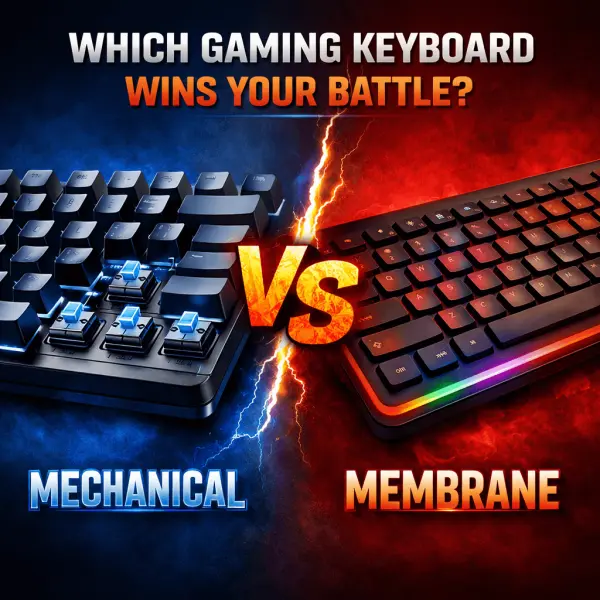
Mechanical vs Membrane: Which Gaming Keyboard Wins Your Battle?

I own a gaming laptop and was able to buy the one that works the best only recently. And that’s when I realised owning a perfect gaming keyboard is equally important. Now, one question that stuck around was whether a mechanical one was better or a membrane one? So I thought of asking my senior gaming friends, but each one had their own opinion, and I was confused. Some swore that mechanical keyboards had changed their lives. Others insisted that membrane keyboards are quieter, cheaper, and just fine. But I realised that the truth, as usual, lies somewhere in between.

Like me, if you have ever wondered which keyboard actually sits well for your gaming style, budget, and setup, I think this guide will really help you make the right choice. So stick around.

Understand the Basics Of Mechanical vs Membrane Keyboards

Before choosing sides, let us get a clear picture of what separates mechanical and membrane keyboards in the first place.

A mechanical keyboard uses individual mechanical switches under every key. Each switch has moving parts, usually a stem, spring, and housing, nothing that you’d be bothered about, but it’s good to know, and it registers every keystroke with precision. These switches come in different types: linear, tactile, and clicky, offering a distinct feel and sound. This is why mechanical keyboards feel more “alive” and responsive compared to regular keyboards.

On the other hand, a membrane keyboard uses a single rubber or silicone layer beneath the keys. When you press a key, it pushes the membrane down to complete a circuit. Remember the feel of the first Nokia phone, where all the keys were blended? A membrane keyboard feels something similar. Most laptops and budget keyboards use this technology. It’s quieter, softer, and far cheaper to manufacture, but it also feels very different.

Performance: Does One Actually Make You Play Better?

Let me stop you and tell you right here that a mechanical keyboard won’t make you a pro-gamer overnight! But it can improve consistency, comfort, and reaction over time. According to me, mechanical ones work better because they offer faster and more consistent key actuation, better feedback: you know exactly when a key is pressed, and support advanced features like N-key rollover and anti-ghosting. And, in fast-paced games like FPS titles, MOBAs, or battle royales, that reliability does matter.

But I also wanted to use a membrane keyboard just to be sure, and that is exactly what I did. I borrowed a friend’s for a month and checked for myself. They can handle gaming just fine, especially for casual players. Modern membrane keyboards have improved a lot and often include gaming features like backlighting and anti-ghosting. However, key presses feel less precise, the actuation force varies over time, and missed inputs are more common in intense scenarios, which is something that puts me off. 

Typing Feel: The Real Deal-Breaker

Now, the only reason you’d find yourself preferring a membrane keyboard over mechanical ones is because of the typing noise that mechanical ones cause. If you are looking for a keyboard that’d make zero or little noise while you passionately press those keys, go for membrane keyboards. Membrane keyboards are mushy, cushioned and offer low-resistance and hence, may feel comfortable. 

Sound: Clicks vs Silence

If you share a room like me, then the amount of sound your keyboard makes is an important factor that you may want to consider.

While mechanical keyboards are factually louder, especially during key switches, noticeable on voice calls, and may be distracting to others, linear and silent switches come with a membrane keyboard. So consider your choice accordingly. They are naturally quiet, ideal for shared spaces, and less intrusive during late-night gaming sessions. 

Durability: Built to Last or Built to Replace?

Mechanical switches are designed to last 50-100 million keystrokes per key. Let me do the calculation for you! This means you get years of heavy gaming, minimal performance degradation, and keys that feel consistent even after long use. They are a long-term investment. Now, if you evaluate a membrane keyboard on that same parameter, they may usually last up to 5-10 million keystrokes per key. That is 90% less. Keys start to feel softer, responsiveness drops, and certain keys might just pop or stop registering. They are fragile and not for long-term usage.

Price: The Deciding Factor for Many Gamers

Many of us are often still dependent on our parents’ income while we are in our initial gaming phase. Hence, this one is the most crucial among all considerations. Obviously, by now, you’d know that mechanical keyboards are more expensive ones. They offer complex, but durable mechanisms which cost more, have higher build quality, and allow customization options if you need fancy, flashy ones. Entry-level models may still be affordable, but premium ones cost a bomb. 

On the other hand, membrane keyboards are comparatively affordable, widely available, and are often bundled with gaming PCs. So if you are a gamer, but on a tight budget, go for a membrane keyboard.

Final Verdict: There Is No Universal Winner

See! Now you understand why, at the start, I told you that the truth about mechanical keyboards being better than a membrane keyboard and vice versa lies somewhere in between. There is no single winner here. The best one is the one that fits your needs and budget. Sure, mechanical ones dominate performance, durability, and customizations, but membrane keyboards are preferred when affordability, quietness of operation, and simplicity are in question.  

If gaming is a serious hobby or passion, mechanical keyboards are worth the investment. If gaming is a way to relax after work or college, a good membrane keyboard can serve you perfectly well. At the end of the day, skill comes from practice, and not from the keyboard. But choosing the right one can make every battle feel just a little smoother.

Disclaimer: The content on this blog is for informational and educational purposes only. While we aim to provide accurate information, we can’t guarantee its completeness or accuracy. The views expressed are those of the authors and may not reflect those of the blog.

Next-Level Controllers & Add-Ons You Can’t Ignore in 2026

Think about the last time you barely lost a fight. Was it your reaction, or did your gear hold you back? There’s a quiet truth in competitive gaming: the player and their tool become one. While everyone uses what comes in the box, winning often demands something better. The right next-level controller isn’t a luxury; it’s the bridge between your strategy and flawless execution.

This is finding your perfect handshake with the game. That’s about precision that feels like an extension of your intent, and immersion that pulls you past the screen. Let’s take a look at the hardware that makes that happen.

The Console Purist’s Upgrade: HyperX Clutch Gladiate

For the Xbox gamer who trusts official hardware but craves an edge. The HyperX Clutch Gladiate takes that familiar, reliable Xbox feel and layers on smart, competitive features. It’s all about efficiency. The dual trigger locks are a game-changer, letting you switch to a short-pull hair trigger for shooters in an instant. The real magic, though, is in the programmable rear buttons. Mapping your sprint or slide to a back paddle means your right thumb never leaves the stick. It’s a simple change that creates a tangible competitive edge. This precision gaming controller turns clumsy manoeuvres into seamless motion.

The Tinkerer’s Dream: PowerA OPS v1 Wireless Controller

If you play across PC, cloud, and mobile, you need one controller to rule them all. The PowerA OPS v1 is built for that life. Its triple connectivity is just the start. The headline here is the Hall Effect thumbsticks and triggers. This technology uses magnets, not physical contact points, to register movement. The result? Forget stick drift. This controller offers precision you can trust, long-term. Combined with mappable buttons, adjustable trigger locks, and a turbo function, it’s a highly customizable controller that lets you build a unique profile for every game you play.

The Specialist’s Instrument: Logitech Extreme 3D Pro Joystick

Some games demand the right tool. For soaring through flight sims or navigating the cockpit of a spaceship, a standard gamepad falls short. The Logitech Extreme 3D Pro is that right tool. It’s the affordable, time-tested entry into proper joystick control. The heft of its base keeps it planted, while the 12 programmable buttons and 8-way hat switch put a universe of commands under your fingers. This is the quintessential pro gaming add-on for immersion, transforming complex simulations into intuitive, thrilling experiences.

The Universal Performer: COSMIC BYTE Ares Pro

Why juggle different pads for different devices? The COSMIC BYTE Ares Pro answers that by being exceptionally capable everywhere. It connects to PC, Android, and iOS wirelessly or wired, always ready. It brings premium hallmarks like Hall Effect joysticks and a blazing-fast 1000Hz polling rate to a versatile package. The dedicated macro button is a secret weapon for fighting games or MMOs, letting you execute a combo with one tap. For the gamer who values high performance across every screen, this wireless gamepad is a brilliantly flexible choice.

The Driving Simulator: Thrustmaster T98 Ferrari

For racing games, a controller is a compromise. The Thrusmaster T98 Ferrari is the end of that compromise. This isn’t just playing a game; it’s feeling the road. Meticulously modelled after the actual Ferrari 296 GTB steering wheel, it instantly drops you into that cockpit mindset. The genius is in its straightforward bungee cord technology, which provides reliable auto-centring and a surprisingly responsive feel without complex motors. The ability to switch between rally, single-seater, and GT sensitivity modes lets you tailor the handling to your game with a flick of a switch. This is the definitive immersive racing wheel, an investment that doesn’t just improve lap times but fundamentally changes how you experience every race.

Finding Your Fit

Choosing your controller is the most personal hardware decision you make. It’s the piece of gear you physically connect with for hours. It should fit your games, your platform, and your desire to improve. These best gaming controllers and pro gaming add-ons are not flashy gimmicks. They address real in-game problems: trigger latency, stick drift, inconsistent rumble and lack of custom inputs. Pick equipment that matches your playstyle, and that gear will reward you with steadier aim, cleaner combos and faster lap times. For competitive players who want tools that truly matter, these controllers and accessories are worth the upgrade.

Disclaimer

The content on this blog is for informational and educational purposes only. While we aim to provide accurate information, we can’t guarantee its completeness or accuracy. The views expressed are those of the authors and may not reflect those of the blog.

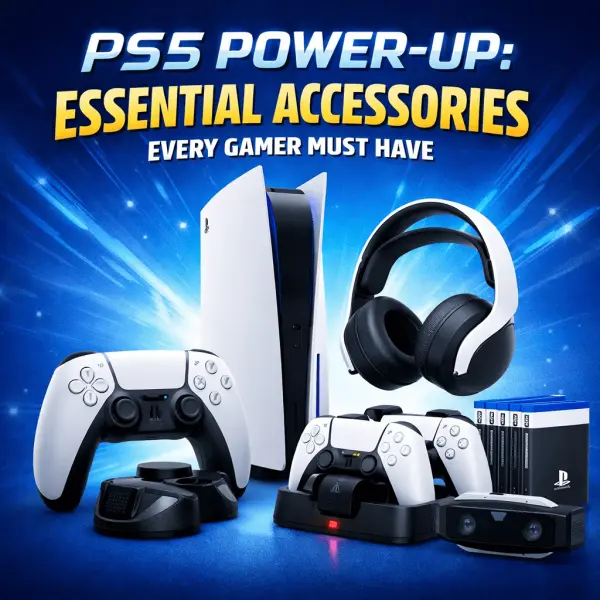
PS5 Power-Up: Essential Accessories Every Gamer Must Have

Is that time of your gaming era when you are planning to upgrade your battle station, or simply wanting to add new accessories to improve the overall experience? If yes, you are in luck. I have not one, not two, but six accessories listed in this article that will change the way you look at gaming altogether. So, whether you are upgrading your gaming studio or just waiting to unbox your first PlayStation 5, the right accessories can definitely make a huge difference. You’d know what comfort, performance level, and convenience it brings. 

6 Standout Gaming Accessories For PS5 Gamers

1. Ant Esports Dock5

This one is a multi-functional dock that is a total win for every PS5 owner who likes to keep things neat and powered up. It can charge two DualSense controllers simultaneously, and has an adjustable cooling fan that keeps the PS5 console running smoothly, even for longer sessions. The best part? The RGB lighting adds beautifully to the overall aesthetics and complements the gaming setup that everyone desires. 

PRO: It saves USB ports on your PS5, tidies up the controllers, and helps prevent overheating.

2. TMG Ps5 Cooling Stand with Charging Station & Suction Cooling Fan

This one is another excellent cooling and charging solution for PS5 gamers. This stand combines suction-based cooling fans with a dual controller charger. By lifting PS5 off the desk, it helps increase the air flow and maintain optimal temperature. It is great for people who sit for longer sessions or high-intensity games. 

PRO: Many new gamers are unaware of the fact that heat is an enemy of longevity and performance, and hence, this makes it to the list of essential accessories every PS5 owner must have.

3. CRYSENDO CD Holder

This one is a cute little holder that helps you to stack all your gaming CDs neatly. It can obviously hold multiple gaming discs and helps them keep assembled in an organized fashion, reduces the clutter, and makes it easy to spot whenever needed.

PRO: Keeps your gaming area organized and protects discs from scratches or loss.

4. Vertical LED Light Stand for PS5

This one adds a splash of style and functional bias lighting. It enhances your gaming studio with customizable lighting effects, setting into a more immersive mood. It also reduces your eye strain when playing in darker rooms.

PRO: It is an aesthetic upgrade plus a boost to your practical lighting setup. 

5. NexiGo PS5 Wall Mount

This one allows you to free up desk space by helping you mount your PS5 on the wall. It is a sturdy bracket that holds the console safely and helps prevent accidental knocks. It also helps declutter the wires and secure them properly by dispensing them neatly. It gives a neat and professional look.

PRO: Helps maximize the space and protects your investment in your favourite gaming box. 

6. HOSS Wall Mount Stand

This one is slightly different from the previous one. It adds a flexible placement option. So, whether it is vertically on the wall alignment or elevated off the shelf, it accommodates the needs safely. A simple upgrade that improves airflow and keeps the console secured. 

PRO: Highly affordable that boosts airflow and safeguards the PS5 from dust and accidental bumps.

Upgrade Accessories for PS5 Gamers

Look, just buying a PS5 isn’t always enough. Accessories matter. Whether it is keeping your console that you are looking to keep protected, or adding aesthetic upgrades, this article covers all the accessories that you may possibly want to upgrade with. These help you keep your gears powered and cool, organize your setup neatly, and create the coolest gaming environment. These items are the best upgrades you can have, that too, on a budget.

Disclaimer: The content on this blog is for informational and educational purposes only. While we aim to provide accurate information, we can’t guarantee its completeness or accuracy. The views expressed are those of the authors and may not reflect those of the blog.