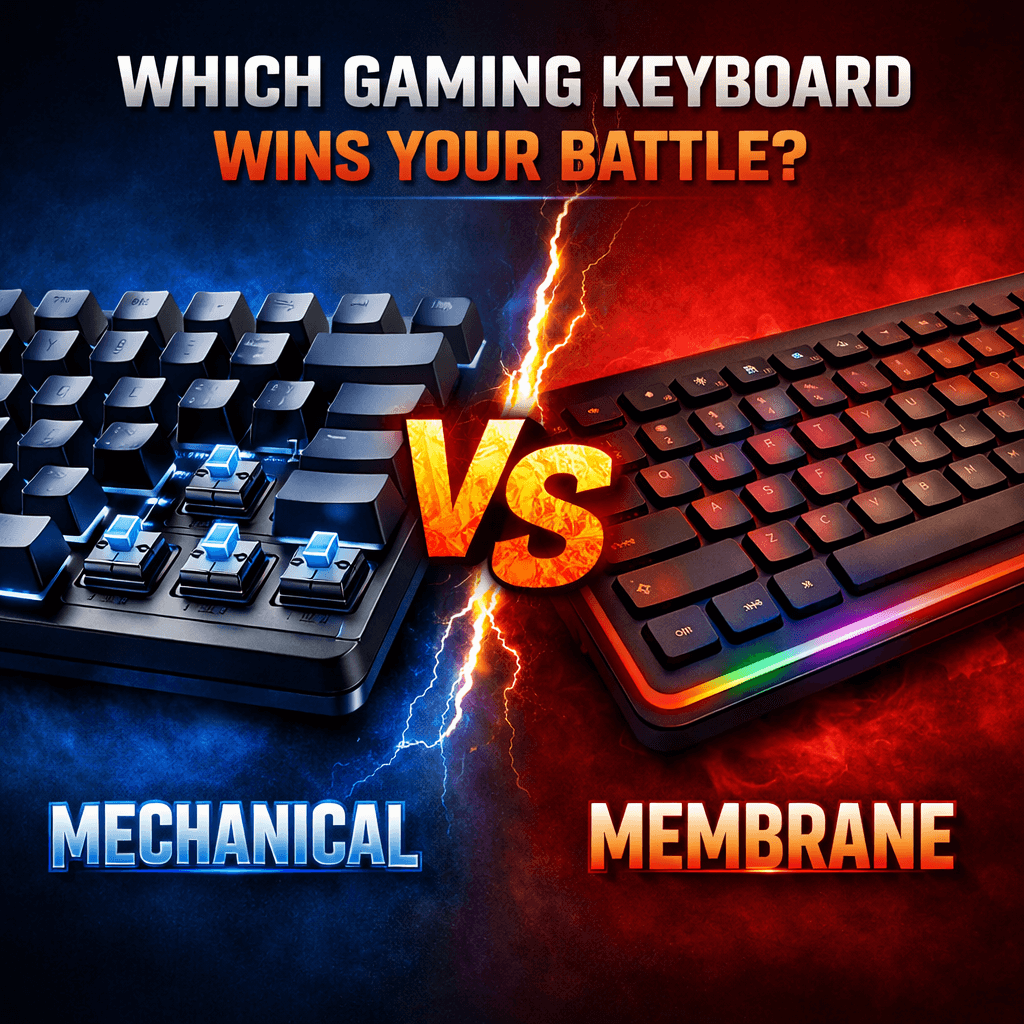
Mechanical vs Membrane: Which Gaming Keyboard Wins Your Battle?

I own a gaming laptop and was able to buy the one that works the best only recently. And that’s when I realised owning a perfect gaming keyboard is equally important. Now, one question that stuck around was whether a mechanical one was better or a membrane one? So I thought of asking my senior gaming friends, but each one had their own opinion, and I was confused. Some swore that mechanical keyboards had changed their lives. Others insisted that membrane keyboards are quieter, cheaper, and just fine. But I realised that the truth, as usual, lies somewhere in between.

Like me, if you have ever wondered which keyboard actually sits well for your gaming style, budget, and setup, I think this guide will really help you make the right choice. So stick around.

Understand the Basics Of Mechanical vs Membrane Keyboards

Before choosing sides, let us get a clear picture of what separates mechanical and membrane keyboards in the first place.

A mechanical keyboard uses individual mechanical switches under every key. Each switch has moving parts, usually a stem, spring, and housing, nothing that you’d be bothered about, but it’s good to know, and it registers every keystroke with precision. These switches come in different types: linear, tactile, and clicky, offering a distinct feel and sound. This is why mechanical keyboards feel more “alive” and responsive compared to regular keyboards.

On the other hand, a membrane keyboard uses a single rubber or silicone layer beneath the keys. When you press a key, it pushes the membrane down to complete a circuit. Remember the feel of the first Nokia phone, where all the keys were blended? A membrane keyboard feels something similar. Most laptops and budget keyboards use this technology. It’s quieter, softer, and far cheaper to manufacture, but it also feels very different.

Performance: Does One Actually Make You Play Better?

Let me stop you and tell you right here that a mechanical keyboard won’t make you a pro-gamer overnight! But it can improve consistency, comfort, and reaction over time. According to me, mechanical ones work better because they offer faster and more consistent key actuation, better feedback: you know exactly when a key is pressed, and support advanced features like N-key rollover and anti-ghosting. And, in fast-paced games like FPS titles, MOBAs, or battle royales, that reliability does matter.

But I also wanted to use a membrane keyboard just to be sure, and that is exactly what I did. I borrowed a friend’s for a month and checked for myself. They can handle gaming just fine, especially for casual players. Modern membrane keyboards have improved a lot and often include gaming features like backlighting and anti-ghosting. However, key presses feel less precise, the actuation force varies over time, and missed inputs are more common in intense scenarios, which is something that puts me off. 

Typing Feel: The Real Deal-Breaker

Now, the only reason you’d find yourself preferring a membrane keyboard over mechanical ones is because of the typing noise that mechanical ones cause. If you are looking for a keyboard that’d make zero or little noise while you passionately press those keys, go for membrane keyboards. Membrane keyboards are mushy, cushioned and offer low-resistance and hence, may feel comfortable. 

Sound: Clicks vs Silence

If you share a room like me, then the amount of sound your keyboard makes is an important factor that you may want to consider.

While mechanical keyboards are factually louder, especially during key switches, noticeable on voice calls, and may be distracting to others, linear and silent switches come with a membrane keyboard. So consider your choice accordingly. They are naturally quiet, ideal for shared spaces, and less intrusive during late-night gaming sessions. 

Durability: Built to Last or Built to Replace?

Mechanical switches are designed to last 50-100 million keystrokes per key. Let me do the calculation for you! This means you get years of heavy gaming, minimal performance degradation, and keys that feel consistent even after long use. They are a long-term investment. Now, if you evaluate a membrane keyboard on that same parameter, they may usually last up to 5-10 million keystrokes per key. That is 90% less. Keys start to feel softer, responsiveness drops, and certain keys might just pop or stop registering. They are fragile and not for long-term usage.

Price: The Deciding Factor for Many Gamers

Many of us are often still dependent on our parents’ income while we are in our initial gaming phase. Hence, this one is the most crucial among all considerations. Obviously, by now, you’d know that mechanical keyboards are more expensive ones. They offer complex, but durable mechanisms which cost more, have higher build quality, and allow customization options if you need fancy, flashy ones. Entry-level models may still be affordable, but premium ones cost a bomb. 

On the other hand, membrane keyboards are comparatively affordable, widely available, and are often bundled with gaming PCs. So if you are a gamer, but on a tight budget, go for a membrane keyboard.

Final Verdict: There Is No Universal Winner

See! Now you understand why, at the start, I told you that the truth about mechanical keyboards being better than a membrane keyboard and vice versa lies somewhere in between. There is no single winner here. The best one is the one that fits your needs and budget. Sure, mechanical ones dominate performance, durability, and customizations, but membrane keyboards are preferred when affordability, quietness of operation, and simplicity are in question.  

If gaming is a serious hobby or passion, mechanical keyboards are worth the investment. If gaming is a way to relax after work or college, a good membrane keyboard can serve you perfectly well. At the end of the day, skill comes from practice, and not from the keyboard. But choosing the right one can make every battle feel just a little smoother.

Disclaimer: The content on this blog is for informational and educational purposes only. While we aim to provide accurate information, we can’t guarantee its completeness or accuracy. The views expressed are those of the authors and may not reflect those of the blog.

Next-Level Controllers & Add-Ons You Can’t Ignore in 2026

Think about the last time you barely lost a fight. Was it your reaction, or did your gear hold you back? There’s a quiet truth in competitive gaming: the player and their tool become one. While everyone uses what comes in the box, winning often demands something better. The right next-level controller isn’t a luxury; it’s the bridge between your strategy and flawless execution.

This is finding your perfect handshake with the game. That’s about precision that feels like an extension of your intent, and immersion that pulls you past the screen. Let’s take a look at the hardware that makes that happen.

The Console Purist’s Upgrade: HyperX Clutch Gladiate

For the Xbox gamer who trusts official hardware but craves an edge. The HyperX Clutch Gladiate takes that familiar, reliable Xbox feel and layers on smart, competitive features. It’s all about efficiency. The dual trigger locks are a game-changer, letting you switch to a short-pull hair trigger for shooters in an instant. The real magic, though, is in the programmable rear buttons. Mapping your sprint or slide to a back paddle means your right thumb never leaves the stick. It’s a simple change that creates a tangible competitive edge. This precision gaming controller turns clumsy manoeuvres into seamless motion.

The Tinkerer’s Dream: PowerA OPS v1 Wireless Controller

If you play across PC, cloud, and mobile, you need one controller to rule them all. The PowerA OPS v1 is built for that life. Its triple connectivity is just the start. The headline here is the Hall Effect thumbsticks and triggers. This technology uses magnets, not physical contact points, to register movement. The result? Forget stick drift. This controller offers precision you can trust, long-term. Combined with mappable buttons, adjustable trigger locks, and a turbo function, it’s a highly customizable controller that lets you build a unique profile for every game you play.

The Specialist’s Instrument: Logitech Extreme 3D Pro Joystick

Some games demand the right tool. For soaring through flight sims or navigating the cockpit of a spaceship, a standard gamepad falls short. The Logitech Extreme 3D Pro is that right tool. It’s the affordable, time-tested entry into proper joystick control. The heft of its base keeps it planted, while the 12 programmable buttons and 8-way hat switch put a universe of commands under your fingers. This is the quintessential pro gaming add-on for immersion, transforming complex simulations into intuitive, thrilling experiences.

The Universal Performer: COSMIC BYTE Ares Pro

Why juggle different pads for different devices? The COSMIC BYTE Ares Pro answers that by being exceptionally capable everywhere. It connects to PC, Android, and iOS wirelessly or wired, always ready. It brings premium hallmarks like Hall Effect joysticks and a blazing-fast 1000Hz polling rate to a versatile package. The dedicated macro button is a secret weapon for fighting games or MMOs, letting you execute a combo with one tap. For the gamer who values high performance across every screen, this wireless gamepad is a brilliantly flexible choice.

The Driving Simulator: Thrustmaster T98 Ferrari

For racing games, a controller is a compromise. The Thrusmaster T98 Ferrari is the end of that compromise. This isn’t just playing a game; it’s feeling the road. Meticulously modelled after the actual Ferrari 296 GTB steering wheel, it instantly drops you into that cockpit mindset. The genius is in its straightforward bungee cord technology, which provides reliable auto-centring and a surprisingly responsive feel without complex motors. The ability to switch between rally, single-seater, and GT sensitivity modes lets you tailor the handling to your game with a flick of a switch. This is the definitive immersive racing wheel, an investment that doesn’t just improve lap times but fundamentally changes how you experience every race.

Finding Your Fit

Choosing your controller is the most personal hardware decision you make. It’s the piece of gear you physically connect with for hours. It should fit your games, your platform, and your desire to improve. These best gaming controllers and pro gaming add-ons are not flashy gimmicks. They address real in-game problems: trigger latency, stick drift, inconsistent rumble and lack of custom inputs. Pick equipment that matches your playstyle, and that gear will reward you with steadier aim, cleaner combos and faster lap times. For competitive players who want tools that truly matter, these controllers and accessories are worth the upgrade.

Disclaimer

The content on this blog is for informational and educational purposes only. While we aim to provide accurate information, we can’t guarantee its completeness or accuracy. The views expressed are those of the authors and may not reflect those of the blog.

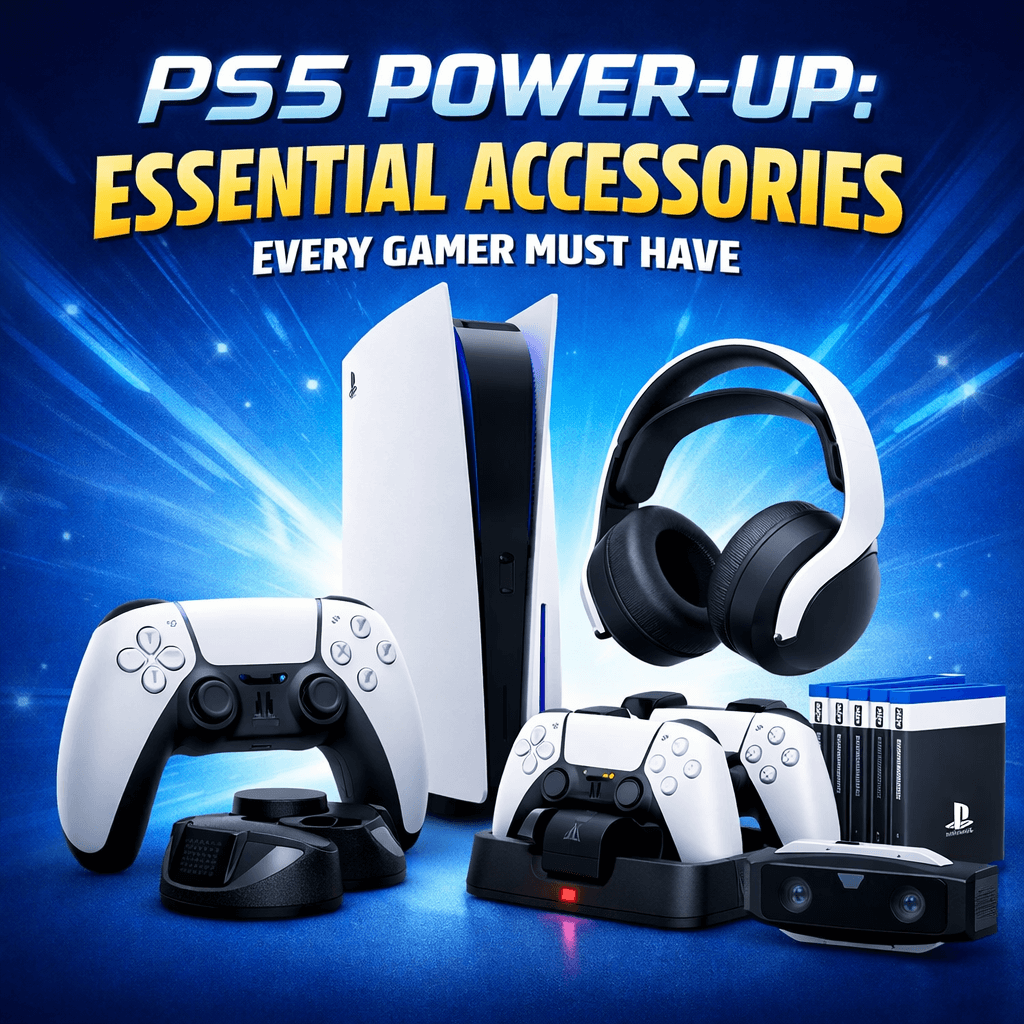
PS5 Power-Up: Essential Accessories Every Gamer Must Have

Is that time of your gaming era when you are planning to upgrade your battle station, or simply wanting to add new accessories to improve the overall experience? If yes, you are in luck. I have not one, not two, but six accessories listed in this article that will change the way you look at gaming altogether. So, whether you are upgrading your gaming studio or just waiting to unbox your first PlayStation 5, the right accessories can definitely make a huge difference. You’d know what comfort, performance level, and convenience it brings. 

6 Standout Gaming Accessories For PS5 Gamers

1. Ant Esports Dock5

This one is a multi-functional dock that is a total win for every PS5 owner who likes to keep things neat and powered up. It can charge two DualSense controllers simultaneously, and has an adjustable cooling fan that keeps the PS5 console running smoothly, even for longer sessions. The best part? The RGB lighting adds beautifully to the overall aesthetics and complements the gaming setup that everyone desires. 

PRO: It saves USB ports on your PS5, tidies up the controllers, and helps prevent overheating.

2. TMG Ps5 Cooling Stand with Charging Station & Suction Cooling Fan

This one is another excellent cooling and charging solution for PS5 gamers. This stand combines suction-based cooling fans with a dual controller charger. By lifting PS5 off the desk, it helps increase the air flow and maintain optimal temperature. It is great for people who sit for longer sessions or high-intensity games. 

PRO: Many new gamers are unaware of the fact that heat is an enemy of longevity and performance, and hence, this makes it to the list of essential accessories every PS5 owner must have.

3. CRYSENDO CD Holder

This one is a cute little holder that helps you to stack all your gaming CDs neatly. It can obviously hold multiple gaming discs and helps them keep assembled in an organized fashion, reduces the clutter, and makes it easy to spot whenever needed.

PRO: Keeps your gaming area organized and protects discs from scratches or loss.

4. Vertical LED Light Stand for PS5

This one adds a splash of style and functional bias lighting. It enhances your gaming studio with customizable lighting effects, setting into a more immersive mood. It also reduces your eye strain when playing in darker rooms.

PRO: It is an aesthetic upgrade plus a boost to your practical lighting setup. 

5. NexiGo PS5 Wall Mount

This one allows you to free up desk space by helping you mount your PS5 on the wall. It is a sturdy bracket that holds the console safely and helps prevent accidental knocks. It also helps declutter the wires and secure them properly by dispensing them neatly. It gives a neat and professional look.

PRO: Helps maximize the space and protects your investment in your favourite gaming box. 

6. HOSS Wall Mount Stand

This one is slightly different from the previous one. It adds a flexible placement option. So, whether it is vertically on the wall alignment or elevated off the shelf, it accommodates the needs safely. A simple upgrade that improves airflow and keeps the console secured. 

PRO: Highly affordable that boosts airflow and safeguards the PS5 from dust and accidental bumps.

Upgrade Accessories for PS5 Gamers

Look, just buying a PS5 isn’t always enough. Accessories matter. Whether it is keeping your console that you are looking to keep protected, or adding aesthetic upgrades, this article covers all the accessories that you may possibly want to upgrade with. These help you keep your gears powered and cool, organize your setup neatly, and create the coolest gaming environment. These items are the best upgrades you can have, that too, on a budget.

Disclaimer: The content on this blog is for informational and educational purposes only. While we aim to provide accurate information, we can’t guarantee its completeness or accuracy. The views expressed are those of the authors and may not reflect those of the blog.
Puzzle Power: Why Sudoku and Logic Games Make You a Better Gamer

If you come to think of it, at first glance, sudoku puzzles and logic grids seem worlds apart from the OG high-end, fast-paced games you’d want to play, if you are a gamer. One is a quiet, more nuanced and the other one often has those ugly, high-calibre fights and combats on screen. Yet, if we cross the surface level, these two gaming worlds meet, with a deeply rooted connection, with the intention to make you an unbeatable gamer. 

Great gamers and not just ones who rely on fast-paced games to improve their reflexes or buy expensive gear. They also rely on training their brains just as much. And, puzzles and logical games train your brain cells consistently and effectively, which many miss. From classic Sudoku games to cross-number challenges to pattern-based logic apps and riddles, these games look simple on the outside, but tap into those unused parts of your brain cells that directly help you enhance your performance in almost any other game that you’d want to. And, no one is going to tell you: if you want to level up as a gamer, puzzles might just be your secret weapon.

The Hidden Skill Gap Between Good and Great Gamers No One Talks About

There’s a common myth that many people like to believe in. That practising alone can help improve. But expertise does not always come from additional hours of practice, harder difficulty settings, and faster reaction times. Sure, practice matters, but it only sharpens skills you already have. What separates good gamers from great ones is their ability to think under pressure. Most top players excel at reading patterns quickly, anticipating outcomes even before they happen, managing and concluding limited information, and making calm decisions in chaotic moments. And my friend, these are not reflex skills; they are cognitive ones. 

And, games like Sudoku do not always reward people with great speed alone. It rewards patience, foresight, memory, and deduction. Puzzles that are logical and designed to sharpen your brain cells demand that you have the capacity to hold multiple possibilities in your head, eliminate errors, and adapt when new information appears. Sounds crazy? Not really. That’s exactly what happens in competitive gaming, strategy titles, RPG combat systems, and even fast-paced shooters.

Sudoku: A Masterclass in Pattern Recognition

At its core, Sudoku is a pattern recognition exercise. Every grid, every pattern teaches your brain to scan the information efficiently, detect relationships between numbers, and notice the missing ones. And, in gaming, recognizing patterns is everywhere. Enemy attacking in cycles, spawn patterns in shooters, puzzle mechanics in adventure titles, and opponent behaviour in multiplayer combats. Trust me, gamers who get used to playing Sudoku become faster at identifying what does not belong: the missing patterns that are not given. It is a skill that directly translates into spotting ambushes, recognizing boss tells, or reading an opponent’s strategy before it fully unfolds. And over time, your brain learns to filter the noise and focus only on things that are useful: the meaningful information. Hence, I put so much emphasis on gamers playing Sudoku.

Logic Games Strengthen Decision-Making Under Pressure

Logical puzzles, on the other hand, punish impulsive choices, and that is great to make you make wiser decisions. Guessing often leads to failure. You are almost forced to slow down, think and then react. You are forced to analyze options, situations and respond only when you feel confident. And, this helps when you have to make quicker decisions in fast-paced games, because your brain becomes used to it. Whether you are deciding to push or retreat in a battle royale, which ability to use in a cooldown-based combat system, or thinking about how to manage limited resources in survival games, they always help. Gamers who play logical games make few panic decisions. They pause just long enough to evaluate the situation, even when the screen is flashing, and the soundtrack is screaming urgency. That calm, analytical approach is what separates consistent performers from naive ones.

Strategic Thinking Starts with Small Choices

Many gamers admire strategy titles, and even though you may want to differ, this is true. Grand stimulations, RTS games, tactical RPGs, but lack the discipline and skills, and struggle to master them. The reason is often simple: they are rarely skilled enough to master complexities. Now, these logical games teach you how to think several steps ahead, even when the progress feels slow. And, this statement reminds me of the classic game of chess. How, before every move you make, you analyse the opponent’s strategy and all the possible outcomes. But when you want to train alone, Sudoku does just that. It forces you to plan not just your next move, but also the consequences of that move across the grid. So while your mind is focused on the current problem, you are often cautious of the entire grid. And that is what makes you excel in it. 

The Gamer’s Brain Is a Puzzle Too

I really love how they say: a gamer’s brain is a sort of puzzle, too. Gaming is all about problem-solving tactics. Whether you are navigating a dungeon, outsmarting an opponent, or optimizing a build, somehow, you are always solving puzzles: just wrapped in action, story, and visuals.

Sudoku and logic games simply that experience down to its purest form. They train the same mental pathways, but without distractions. That is why their impact is so powerful. So, if you want to be a better gamer and not just faster, but also smarter, start thinking of puzzles not as a break from gaming, but as part of it. As part of the training process.

Disclaimer: The content on this blog is for informational and educational purposes only. While we aim to provide accurate information, we can’t guarantee its completeness or accuracy. The views expressed are those of the authors and may not reflect those of the blog.

Sit, Play, Conquer: The Ultimate Guide to Gaming Chairs for Marathon Sessions

The difference between a good session and a great one isn’t just your setup’s power; it’s your body’s endurance. An ordinary chair will leave you stiff and distracted, but the right ergonomic gaming chair becomes your command center, supporting you through every campaign and clash. For marathon gaming sessions, the correct support for your back, neck, and arms isn’t a luxury; it’s essential gear. This blog examines the top contenders that blend comfort, function, and durability, helping you find your throne.

The Feature-Packed Throne: Valor X USA Striker 2026 Edition

For the gamer who wants a complete comfort suite, this chair is built like a premium gaming chair designed for extended wear. The integrated USB-powered massage cushion and retractable footrest target relaxation directly. Its linkage armrests move with you as you recline, maintaining constant support. It provides a plush, all-in-one experience. However, its full PU leather construction, while durable, may not be the most breathable during very long, intense sessions in warmer rooms. Choose this if you want maximum features, massage, footrest, deep recline, and prioritize cushioned luxury over airflow, making it ideal for dedicated, long-haul gaming in a climate-controlled space.

The Balanced Performer: Drogo Aura Ergonomic Chair

This chair smartly balances two needs: structured support and cooling comfort. It combines a breathable mesh fabric back panel with PU leather accents, promoting air circulation to keep you cool. The high back and adjustable lumbar support pillow work to maintain a healthy posture. It includes a useful footrest and a wide 165-degree recline. What it offers is a versatile, well-ventilated seat suitable for both gaming and work. It may not feel as plush or feature-rich as dedicated luxury models. This is the best choice for gamers in warmer climates or those who use their chair for both work and play, seeking a durable, ergonomic office gaming chair that prevents overheating during long stints.

The Premium Comfort Specialist: GTPLAYER Multi-Functional Chair

Positioned as a luxury option, this chair focuses on delivering a first-class seated experience. This product provides a premium seated experience as its primary goal. The product takes advantage of High Density Foam to ensure a comfortable seating experience and incorporates a massage cushion via a USB connection to provide massage functions for the lower back area. The craftsmanship takes a shot at a premium quality design. As a full PU Leather-based gaming chair with a focus on comfort, it has equal breathability in place, as the Valor X. The design of this product will perfectly suit individuals searching for a more plush and immersive experience.

The Ergonomic Innovator: Dr Luxur Weavemonster 2026 Edition

This chair stands out with its thoughtful, user-friendly design. The star is the magnetic neck pillow, which attaches and adjusts effortlessly, no more struggling with straps. Its 4D armrests offer unparalleled adjustment (up/down, forward/back, pivot), allowing you to find the perfect arm position. The honeycombed fabric is soft and breathable. It focuses on intelligent ergonomics over gimmicky features like built-in massage. This is the ideal pick for the detail-oriented gamer who values precise adjustability and clever design. It’s a top-tier ergonomic gaming chair for those who suffer from shoulder or wrist strain and need perfect arm alignment.

The Modern Minimalist: Casa Copenhagen High-Back Fabric Chair

For those who want sophisticated comfort without the aggressive racing-chair aesthetic. This chair offers a cleaner, more modern look with a focus on subtle functionality. It includes a USB-powered massage lumbar pillow and a folding footrest, but packages them in a design that wouldn’t look out of place in a contemporary office. The fabric and ventilation holes in the back promote breathability. It provides excellent support without shouting “gamer.” Choose this if you need a chair that seamlessly doubles as a sophisticated office gaming chair, offering ergonomic support and discreet features in a professional, aesthetically pleasing package.

How to Choose Your Champion

Your choice should be based on your main requirement. If you are the type who usually feels hot, then breathable fabric should be your number one priority. Adjustable lumbar support is a must for a healthy lower back. A gaming chair with footrest is a great help when it comes to relaxation during cutscenes or breaks. Keep in mind that the best chair is the one in which you can sit for hours without even thinking about it. Your next marathon session is coming, and it is going to be the most comfortable one.

Disclaimer: The content on this blog is for informational and educational purposes only. While we aim to provide accurate information, we can’t guarantee its completeness or accuracy. The views expressed are those of the authors and may not reflect those of the blog.
The Gamer’s Gear Wishlist: Must-Have Tech for 2026

Gaming has always evolved with better technology and upgraded gadgets. There is no denying that. But the pace feels different from what it was. In 2026, it will no longer be just about power or better graphics. It will be more about ecosystems and setups that blend performance, comfort, immersion, and identity. Not to forget the aesthetics. From smart peripheral devices and AI-enhanced hardware to immersive displays and gen-next audio units, gaming gear in 2026 will be about experience. And the wish list will no longer be defined by marketing and hype alone; it will be dominated by how technology improves the play, focus, and longevity.

So, whether you are a competitive gamer, a casual player, or, for that matter, even a content creator, the list below will have everything a gamer would need to level up their gaming experience.

Gaming PCs and Consoles: Power Meets Efficiency

Gaming hardware in 2026 focuses on efficiency, thermal dynamics, and intelligent performance scaling equipment, and hence, we have kept our focus on that.

1. Acer Nitro 24″ Full HD Gaming Monitor

If you are a serious gamer, you’d know how important a quality display is. And this one gives you one of the best experiences. A quality display often becomes the backbone of any gaming setup. This monitor delivers crisp visuals with fluid motion clarity, which is ideal for shooters, RPGs, and MOBAs, and that is why it is loved by many professional gamers. The best part? It doesn’t burn a hole in your pocket and comes on a budget that is affordable to most.  Plus, the IPS panel ensures wide viewing angles and accurate colours. It keeps the refresh rate high and the action smooth. You’d want to know what’s more, right? It also has a slim bezel and ergonomic stand, which makes it perfect for both desk setup and multi-monitor configurations where you’d want to wall mount it. 

PRO: This one is best for a competitive gaming setup and single-player units on a budget.

2. Amazon Basics 27″ 165Hz Gaming Monitor

This one is an alternative option to those who want a slightly larger size and a premium-quality screen. This one offers a 165 Hz refresh rate for motion clarity, especially favourable to fast-paced games. It also has wider viewing angles and built-in speakers, which often eliminates the need to add an extra gear. It is taken to be an all-rounder monitor that boosts responsiveness and visual fluidity, and that too, on a budget. I don’t think I need to highlight anything more. Just that, this one really gives you an immersive experience. 

PRO: A higher refresh rate gives you an extra edge in FPS and racing games over others.

3. Amazon Basics Pro Series Mechanical Gaming Keyboard

In one of our previous articles, we highlighted the benefits of owning a mechanical keyboard. Every gamer knows that a mechanical keyboard feels very different from a membrane keyboard, and that is why pro-level gamers go for mechanical ones. Generally, mechanical keyboards are costly. But we have bought you an option that’s not too costly and will fit your budget just fine. Trust me, this one brings quality and style to your desk. It also has RGB lighting and customizable programming keys that give qualifying actuation with a faster response time. Plus, it has a compact 61-key layout, and hence, you have great access to all the keys while you are busy combating. Seriously, a great pick.

PRO: Best for fast reflex games and immersive typing feel during long sessions. Also keeps focus intact. 

4. Portronics Vader Wired Gaming Mouse

This one is what I use and absolutely love. It is a gaming mouse with good tracking and comfort that I have always wanted. It makes aiming and navigation smooth and effortless. It also combines a responsive sensor with ergonomic shape, letting you play for hours without feeling tired. Plus, the simple design is perfect if you want dependable control without complex controls.

PRO: Great choice for FPS, RTS, and MMO players who value precision and comfort.

5. Amazon Basics Wired Over‑Ear Gaming Headphones

I know how immersive gaming with clear audio feels, and this one supports that. Audio matters just as much as visuals do, and these over-ear headphones are perfect if you need an update. It has a solid bass and clear mids, plus, it is great for positional audio in competitive games. The built-in mic ensures your voice is heard clearly during team play, because that is equally important. A second’s delay could cause lives or destruction mid-game. 

PRO: Best for multiplayer games and immersive solo play.

6. ASE Gaming Gold Series Ergonomic Gaming Chair

When I saw this, I knew what love is. TBH, it looked unreal to me. Long gaming sessions were taking a toll on my body, and I was looking for a comfortable chair when I bumped into this one. This one is an ergonomic gaming chair that helps you stay comfortable and supported during your session time. It has an adjustable lumbar and neck support, a reclining backrest, and even a footrest, to reduce strain and improve posture. Every gamer knows that a good chair isn’t just a luxury, but also a performance enhancer, helping you stay focused and fatigue-free. 

PRO: It is a must-have for marathon gamers, streaming, or productivity setups. 

Balance And Upgrades: Gamer’s Gear Essentials

A great 2026 gaming setup isn’t just about having the most expensive gear, but also about balanced performance. Always, visuals first. A great monitor not just improves the experience, but also boosts responsiveness and overall experience. Next comes the peripherals. Precision keyboards and mouse combo boosts control and helps you put forward your A-game. Last but not least, a solid headset and ergonomic chair keep you in the zone and complete everything you’d need for your gaming setup.

Disclaimer: The content on this blog is for informational and educational purposes only. While we aim to provide accurate information, we can’t guarantee its completeness or accuracy. The views expressed are those of the authors and may not reflect those of the blog.
Product Links:

1. https://www.amazon.in/Acer-Backlit-Response-Speakers-FreeSync/dp/B0DZHY5N59?source=ps-sl-shoppingads-lpcontext&ref_=fplfs&smid=AJ6SIZC8YQDZX&utm_source=chatgpt.com&th=1

2. amazon.in/amazon-basics-27-inch-Ultra-Wide-Speakers/dp/B0BSWH4QMG?utm_source=chatgpt.com

3. https://www.amazon.in/amazon-basics-Mechanical-Customizable-Programmable/dp/B0D5HKX374?source=ps-sl-shoppingads-lpcontext&ref_=fplfs&psc=1&smid=AJ6SIZC8YQDZX&utm_source=chatgpt.com

4. https://www.amazon.in/Portronics-Buttons-Support-Adjustable-Ergonomic/dp/B0CPYLGZTJ?source=ps-sl-shoppingads-lpcontext&ref_=fplfs&smid=AJ6SIZC8YQDZX&utm_source=chatgpt.com&th=1

5. https://www.amazon.in/amazon-basics-Gaming-Headphones-Laptop/dp/B0DWS1Q744?source=ps-sl-shoppingads-lpcontext&ref_=fplfs&psc=1&smid=AJ6SIZC8YQDZX&utm_source=chatgpt.com

6. amazon.in/ASE-GAMING-Gold-Footrest-Adjustable/dp/B0FCYGB8HG?utm_source=chatgpt.com

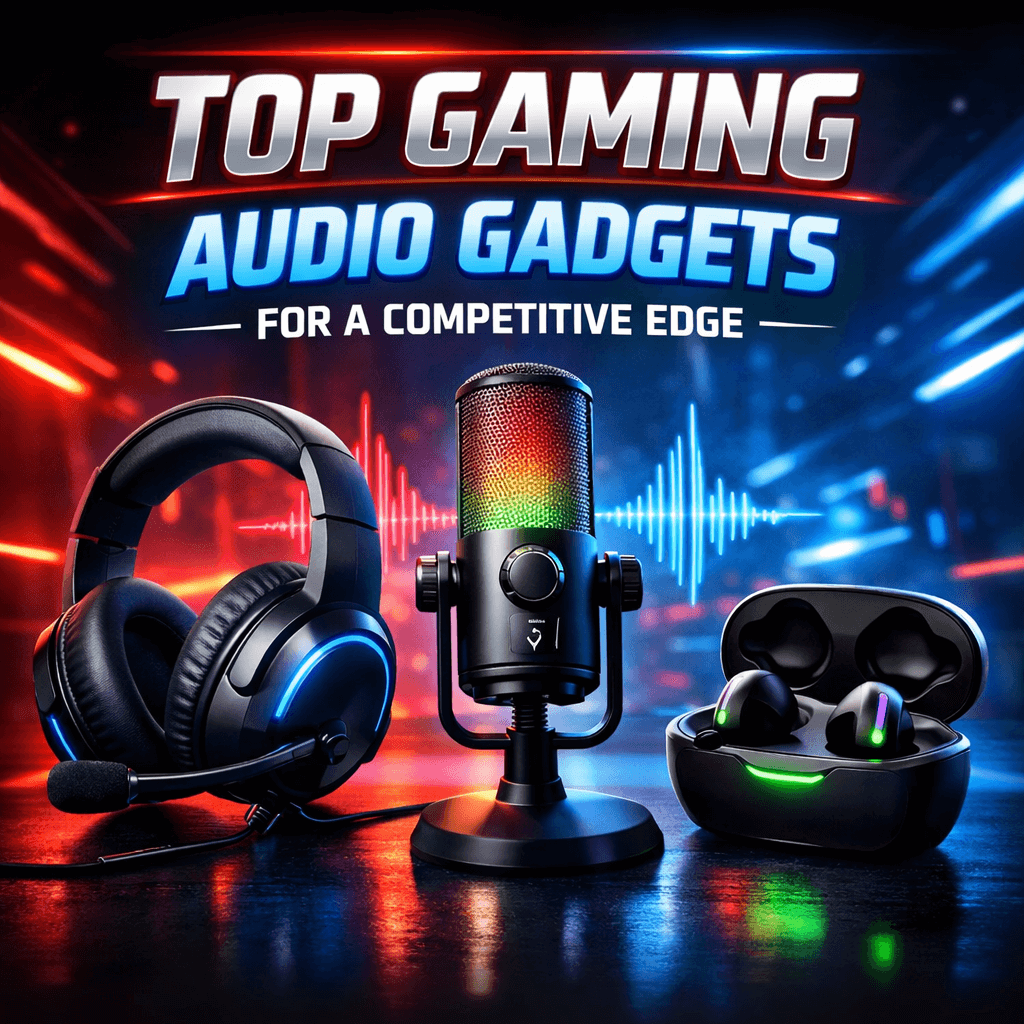
Top Gaming Audio Gadgets for a Competitive Edge

Forget flashy keyboards for a second. The real game-changer, the unsung hero of clutch plays and perfect callouts, isn’t under your fingers; it’s over your ears. In the heat of a match, superior gaming audio isn’t about entertainment; it’s about intel. It’s hearing the reload behind the wall, the faint brush of grass to your left, or the ult charge you need to counter. Building a competitive edge starts with hearing everything your opponent hopes you’ll miss.

Here are the gaming audio gadgets that turn up the volume on your skills.

The Intel Gatherer: JBL Quantum 100M2 Wired Gaming Headphones

For the player who needs to listen to win. You can’t react to what you can’t hear. The JBL Quantum 100M2 is built for one job: translating in-game audio into actionable intelligence. Tuned by JBL’s audiologists, the 40mm drivers don’t just make explosions loud, they make footsteps clear and directional. With support for Windows Sonic spatial audio, sounds gain a true location in space around you. Is that enemy above, or below? You’ll know. The lightweight, breathable design means comfort never distracts you during an extended ranked grind, and the detachable boom mic ensures your callouts are heard. This is a pure, focused tool for gaining a competitive gaming edge.

The Wireless Warrior: GOBOULT x Mustang Torq Wireless Earbuds

Mobility matters. Maybe you’re at a tournament, on the go, or just prefer unplugged freedom. The GOBOULT x Mustang Torq low-latency Earbuds prove wireless doesn’t mean compromised. The critical spec here is the blistering 45ms low latency, which demolishes the dreaded audio lag that gets you killed in rhythm games or shooters. Sound and action stay in perfect sync. Paired with a robust 60-hour battery, they’re built for marathons. The dedicated app lets you fine-tune the EQ to make those in-game cues pop, whether it’s a stealth blade or a spell charge. It’s high-performance audio that keeps up with your pace.

The Atmosphere Engine: Ant Esports GS370SB RGB Gaming Soundbar

Not every session is a silent, tense scrim. Sometimes, you want to feel the world around you, to let the soundtrack swell and the effects roar while you conquer a campaign or dominate a casual match. The Ant Esports GS370SB Soundbar is for that immersive plunge. Its Hi-Fi stereo sound fills your space, making solo adventures cinematic and music epic. The dynamic RGB lighting pulses to the audio, transforming your desk into the heart of the action. It’s a plug-and-play audio upgrade that reminds you gaming is, above all, meant to be a thrilling experience.

The Command Center: FDUCE M160 USB Condenser Microphone

Your voice is the strongest asset you are going to use in team battles. A choked and noisy voice transmission is worse than no transmission at all—it’s misdirection. If you are serious about streaming, creating podcasts, and being the leader that directs your team, the FDUCE M160 Microphone is your command center. The cardioid polar pickup design isolates and clearly picks up the sound of your voice while rejecting keyboard noise and background sounds in real-time. Additionally, the real-time headphone monitoring and the quick-touch mute and RGB indicator are crucial for in-play functions. This streaming microphone projects authority and is the perfect solution for being heard clearly in team battles.

The Final Verdict: Tune In To Win

Choosing your gear is about identifying your bottleneck. Are you missing crucial audio cues? The JBL headset is your fix. Need wireless freedom without lag? The Mustang Torq earbuds deliver. Want immersive, feel-it-in-your-chest sound for solo play? Crank up the soundbar. Demanding clear comms? Invest in the dedicated mic.

In a world where every millisecond and every pixel counts, never let your audio be the weak link. Equip yourself to hear first, react faster, and command confidently. Your competitive edge is waiting to be heard.

Disclaimer: The content on this blog is for informational and educational purposes only. While we aim to provide accurate information, we can’t guarantee its completeness or accuracy. The views expressed are those of the authors and may not reflect those of the blog.
Train Like a Pro: Daily Habits to Boost Your Gaming Reflexes

Improvement in gaming skills does not end with the time you spend playing your favorite shooting or strategy game. Improving your gaming skills actually involves consistent daily routines that help improve your reaction time. All these methods are not gimmicks. They actually involve specific daily gaming routines that will help you improve your focus while refining habits like those of professional gamers.

First Level Up: Daily Warm-Up Habits (5–10 minutes)

Even before you engage in a match, hold a brief warm-up session to stimulate your nervous system.

Visual Tracking Drill: Spend two minutes engaging in visual tracking with fast-moving objects on the screen, whether this is a simple bouncing ball activity or using aim trainer software.

Finger Activation Routine: Perform a quick set of index finger presses or alternate finger presses on your desk for 60 seconds. Rest for a brief period and repeat the exercise twice. You will notice improvements in your hand-to-eye coordination and fingers becoming supple enough for accurate play.

Focused Breathing: Take one minute to breathe slowly. Inhale for three seconds, and exhale for three seconds. This relaxes the mind before gaming and is easily done by professional gamers as a pro gaming habit.

Mid-Day Performance Boost: Core Daily Habits (15–25 minutes)

Build these habits into your routine to see real growth in reflexes and cognitive speed.

Aim and Reaction Sessions: Fire up a quick aim trainer or reflex drill game online. Short, targeted sessions that emphasise flick accuracy, tracking, and target switching will gradually improve your reaction time and mouse precision. 

Peripheral Awareness Practice: As you are actively engaged in play and training, make it a point to focus your attention not only on the main targets but also on the observation of peripheral movement. This will help to reduce tunnel vision and will improve your intuitive reaction to high-pressure situations.

Mental Agility Work: Spend five minutes a day playing reaction brain games and puzzle applications that work on the speed of decision-making. These activities stimulate the mental reaction abilities and are an addition to the physical hand practice.

Pro Level Habits: Consistency and Recovery (30 minutes or more)

If you’re serious about high-FPS gaming and long-term progression, these daily habits can elevate your performance.

Sleep and Recovery: It is crucial to maintain a regular sleep pattern, sleeping a total of 7 to 9 hours every night. Sleeping well is imperative for improving the speed of reaction, and it has been proven that a poor night’s sleep can impair a person’s reaction rate.

Hydration and Nutrition: Keep hydrated throughout the day and eat balanced meals with brain-boosting nutrients like omega-3-rich foods and antioxidants. Proper hydration and nutrition support faster neural processing and steadier focus. 

Short Movement Breaks: Stand and stretch or move your muscles a little between sessions if possible. Short physical breaks prevent tension from building in your body that influences accuracy in extended video game sessions.

How to Pick the Right Routine

Adjust your habits accordingly. If your stream is based on shooters and/or real-player shooters, emphasis should be placed on developing everyday target and reaction skills. In the case of MOBA games and/or RTS games, these skills should be supplemented with everyday multitasking tasks. Gradual improvement each day does more to help out than dedicated long study sessions.

Track Progress

Keep a simple log of your reaction speed training, note aim trainer scores, average reaction times, sleep hours, and how focused you feel during play. Over weeks, you’ll see patterns and improvements that tell you what’s working.

Final Take

Daily gaming habits are definitely the most important factor in shaping one’s gaming skills. If you manage to combine a little of everything, such as fast warm-ups, motivated training, and good physical care, along with sleeping well, then you would have both great reflexes and the right mindset. Meanwhile, taking care of your body and consistent routines will result in smoother, faster, and more confident gameplay. Take one new habit today, maintain it, and see how your reflexes will eventually become sharper. Your next clutch play could be even sooner than you have imagined.

Disclaimer: The content on this blog is for informational and educational purposes only. While we aim to provide accurate information, we can’t guarantee its completeness or accuracy. The views expressed are those of the authors and may not reflect those of the blog.

Ultimate Gaming Laptop Guide: Power, Performance, and Portability Explained

Buying a gaming laptop can be like cracking a code. What’s most important – the graphics card, the processor, or the display? This blog aims to simplify all the confusion and present the most important technical specifications of a gaming laptop, along with some of the best laptops that are well-optimized with power, performance, and mobility.

The Components Explained

First, it’s important to grasp the following pillars of performance

  • GPU (Graphics Card): It is the most important part of a gaming PC. A graphics card makes the graphics of the game. RTX 4050 is way better than RTX 3050 and provides users with higher resolutions and frame rates.
  • CPU (Processor): Deals with logic and physics computations of the games. Any latest Intel Core i5 or AMD Ryzen 5 will serve the purpose of gaming.
  • RAM & Storage: For gaming, the minimum RAM required is 16GB. The starting point should be the 512GB SSD, and the best is the 1TB one, as it is capable of storing multiple games.
  • Display: A 144Hz or higher refresh rate makes motion look drastically smoother compared to a regular 60Hz monitor. A resolution of FHD (1920×1080) provides optimal performance.

The Entry-Level Champions

The HP Victus (RTX 2050) – The Reliable Starter

This laptop gives you a proper, no-fuss entry into PC gaming. The 12th Gen Intel i5 processor is solid, and the RTX 2050 GPU will handle games like Fortnite, Apex Legends, and Elden Ring at 1080p with medium-to-high settings. The 144Hz screen is a fantastic inclusion for smooth gameplay. What it doesn’t give you is longevity for demanding future titles or high frame rates on ultra settings. It’s a perfect choice for a student or first-time PC gamer who wants a reliable, portable gaming laptop for a great library of current and past games without maxing out every slider.

The ASUS TUF A15 (RTX 3050) & Dell G15 (RTX 3050) – The Mainstream Workhorses

Here’s where you get a significant step up in guaranteed performance. The RTX 3050 GPU in these models is the baseline for comfortable modern gaming. You can expect smooth 60+ fps at 1080p on High settings in most titles. The ASUS TUF is built to be durable and has efficient cooling. The Dell G15 offers more storage (1TB) out of the box. What they don’t provide is a path to high refresh-rate gaming in demanding titles or excellent battery life. Choose one of these if you want a single machine that will convincingly run almost any game released today at good settings, and you value proven, rugged design.

The Performance Sweet Spot

The Lenovo LOQ (RTX 4050) & Acer Nitro V (RTX 4050) – The Smart Investor’s Pick

The RTX 4050 in these laptops is a game-changer. It offers a major leap in efficiency and power over the previous generation. This means you can easily achieve high frame rates (100+) for competitive 1080p gaming, or comfortably turn on demanding features like Ray Tracing. The Acer Nitro V’s 165Hz screen complements this perfectly. What you might compromise on is peak screen brightness or ultra-premium build materials. This is the best choice for the serious gamer who wants high-FPS performance for esports, the ability to max out settings in story-driven games, and a GPU that will stay relevant for longer.

The Premium Powerhouse

The MSI Crosshair 16 HX (RTX 4060) – The Desktop Replacement

This laptop is about immersive quality. The stunning 16-inch QHD+ (2560×1600) display is its centerpiece, offering more screen real estate and sharper detail than standard FHD. The 240Hz refresh rate makes motion butter-smooth. Powered by a top-tier 14th Gen i7 and RTX 4060, it has the muscle to drive that high-resolution display in games at high settings. What it doesn’t give you is lightness or long battery life; it’s a powerful, somewhat heavy machine. Choose this if you are a player who prioritizes visual fidelity and screen quality above all else, enjoys cinematic single-player games, and might also use the laptop for video editing or 3D work. 

The Final Decision

Match your primary goal to the GPU. For accessible, casual gaming, the RTX 3050 tier is your zone. For high-performance, smooth gaming that will last, the RTX 4050 models are the clear recommendation. For a top-tier visual spectacle where the screen is as important as the specs, the premium tier delivers. Use this gaming laptop guide to align GPU performance with your expectations, and you’ll find the perfect balance of power and portability for your needs.

Disclaimer: The content on this blog is for informational and educational purposes only. While we aim to provide accurate information, we can’t guarantee its completeness or accuracy. The views expressed are those of the authors and may not reflect those of the blog.